Igor Aleksandrov
Friday, July 12, 2024 | 3 minutes
Link a local monitoring system to Grafana Cloud
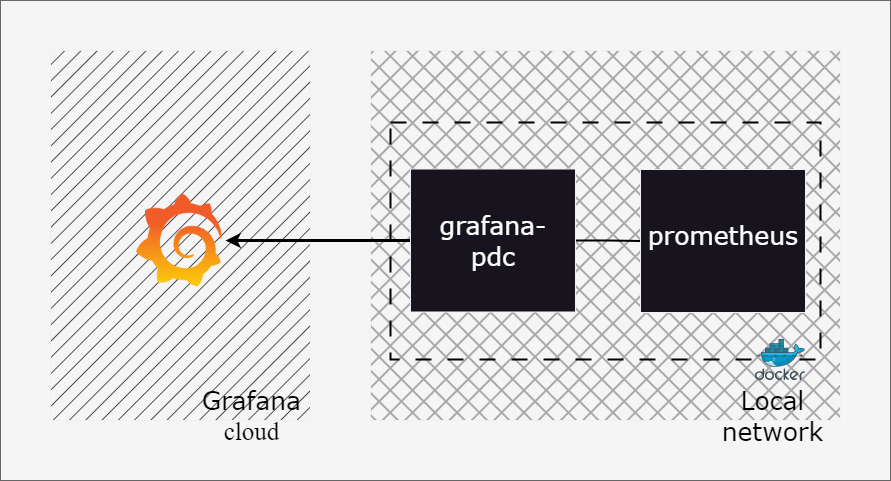
Configure Grafana Private data source connect
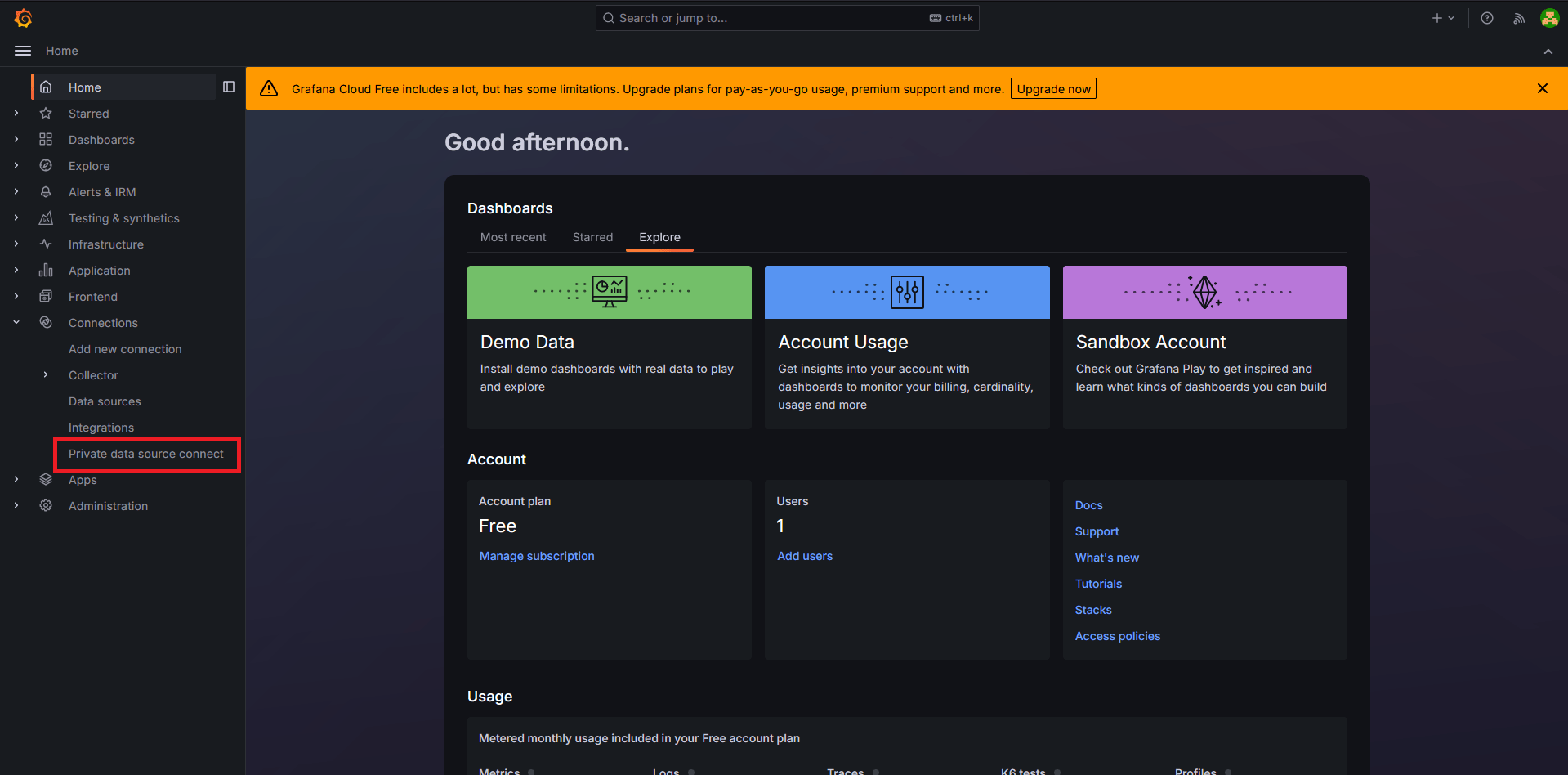
Once sign-in to Grafana cloud, go to Connections section and choose Private data source connect
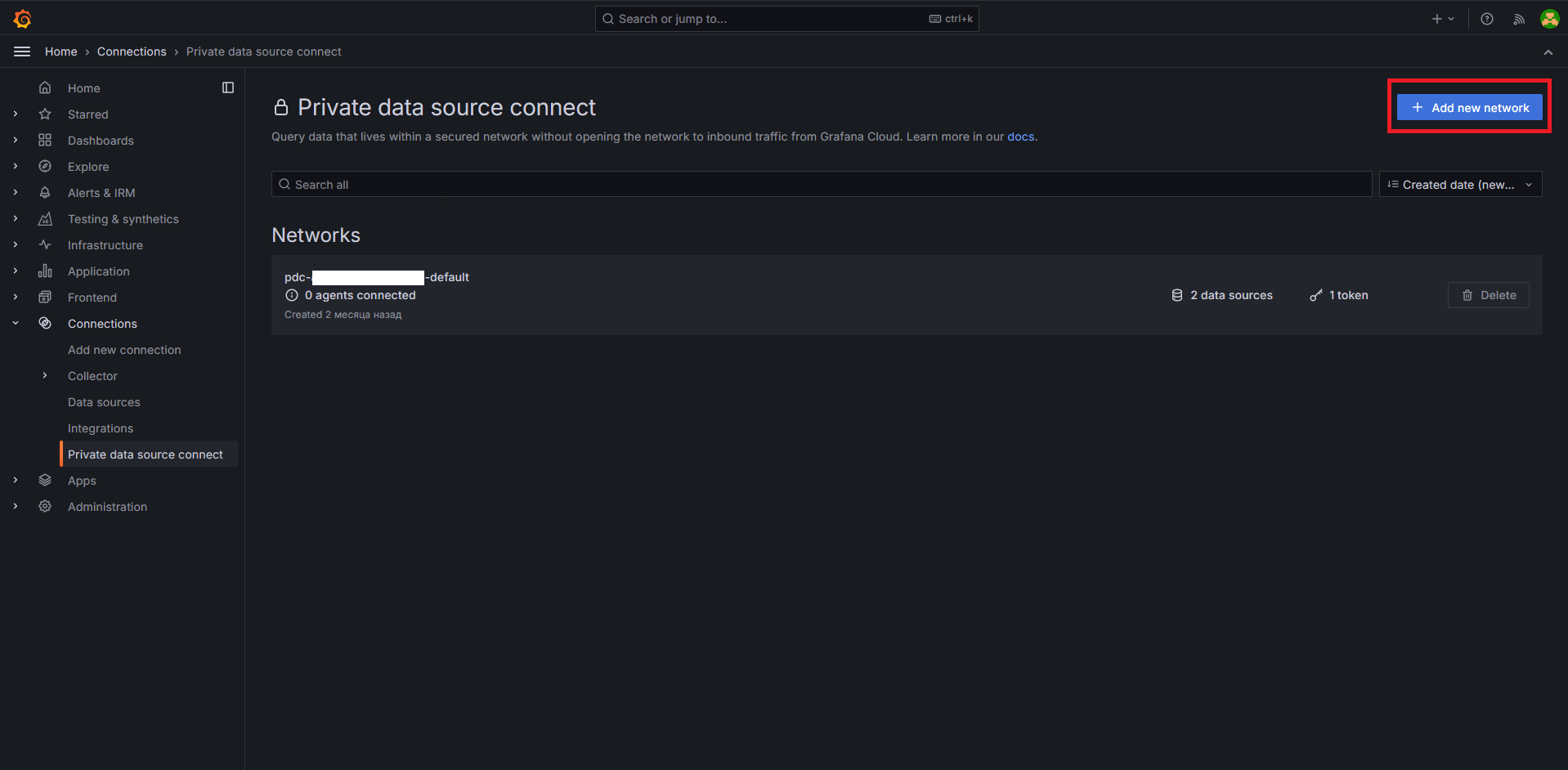
Click on +Add new network button
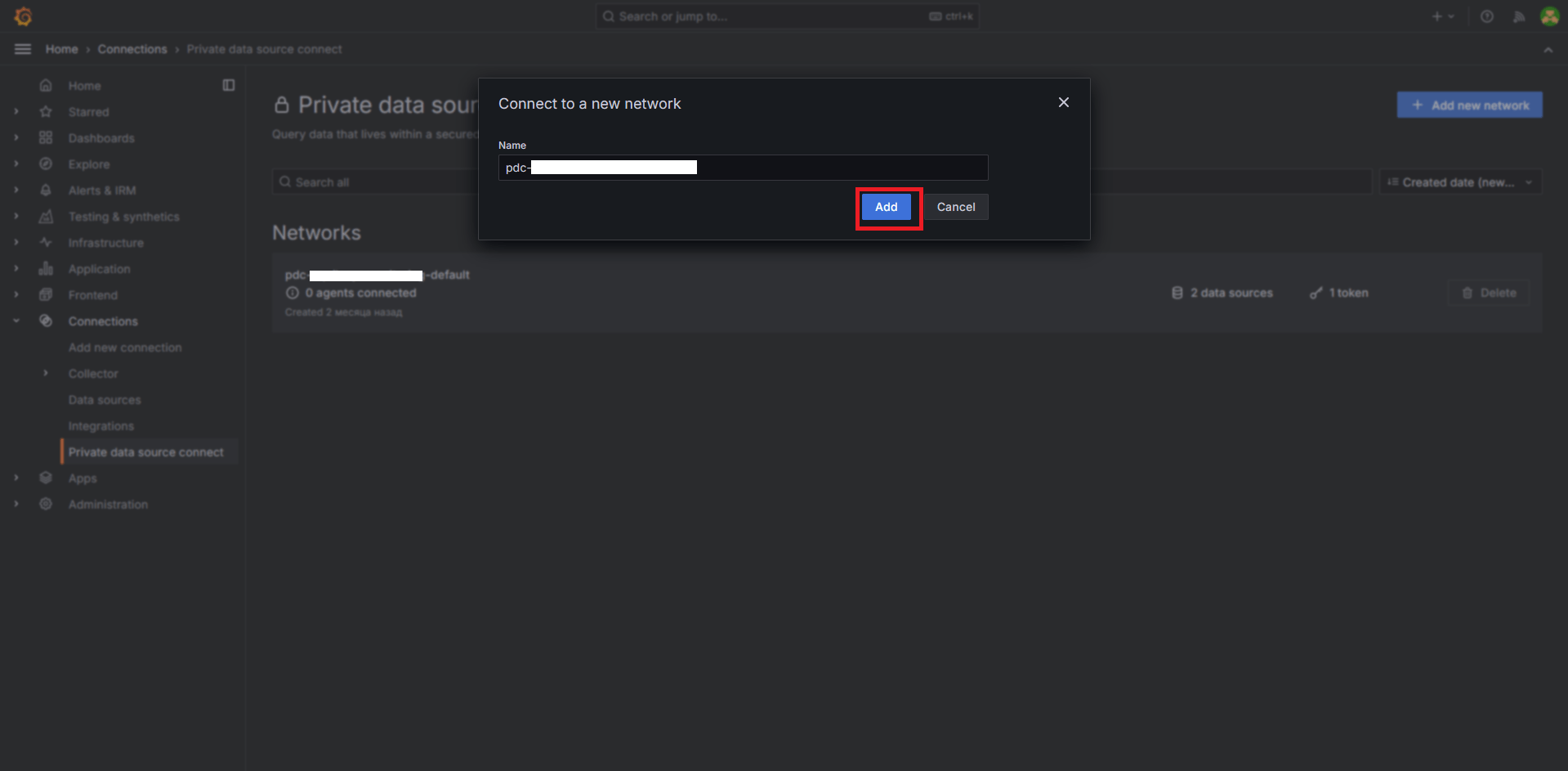
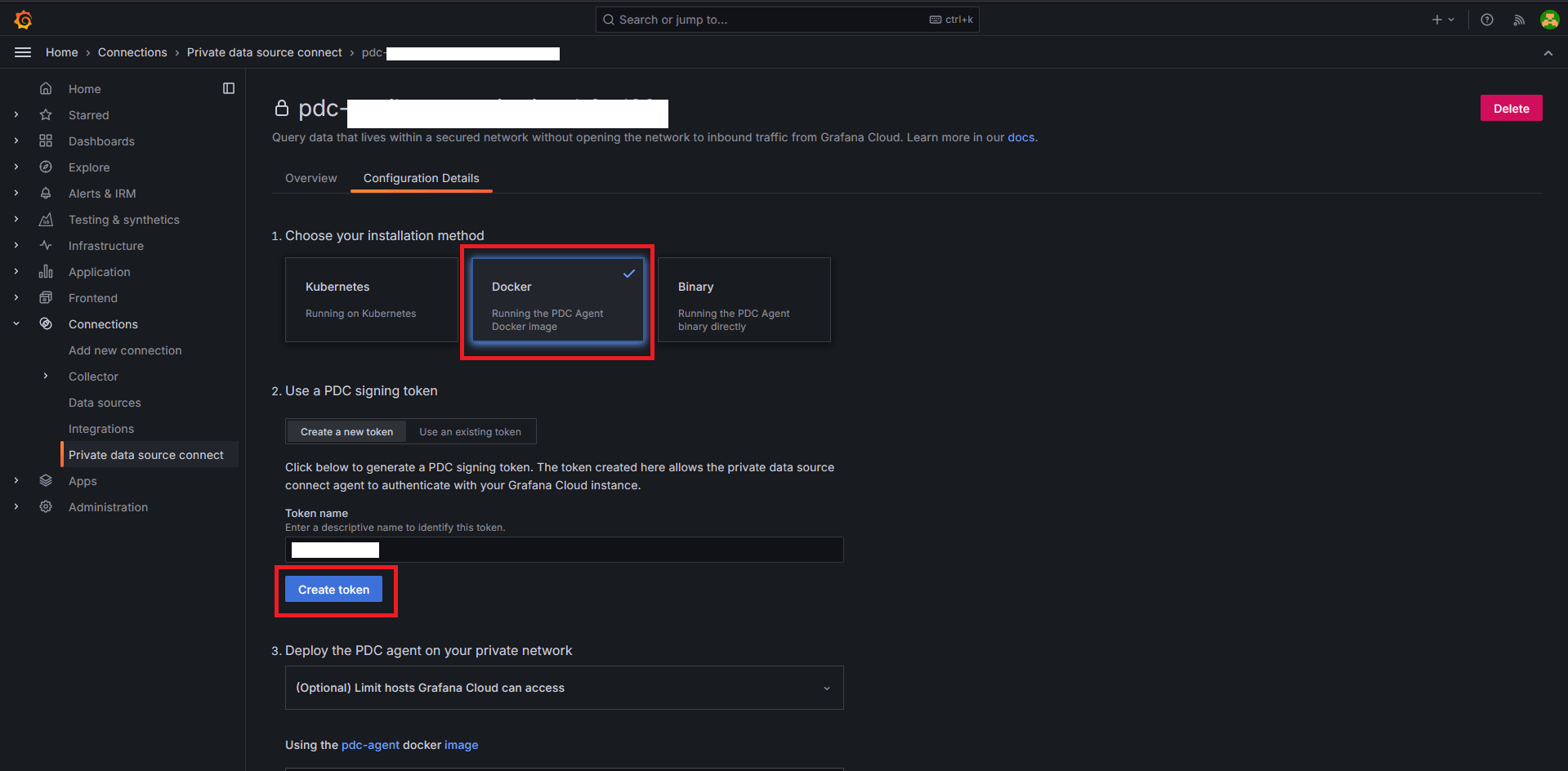
On the next step you have to create a new connection token, on the new-created connetor page choose Docker option as installation method. Enter a descriptive token name and press on Create token button
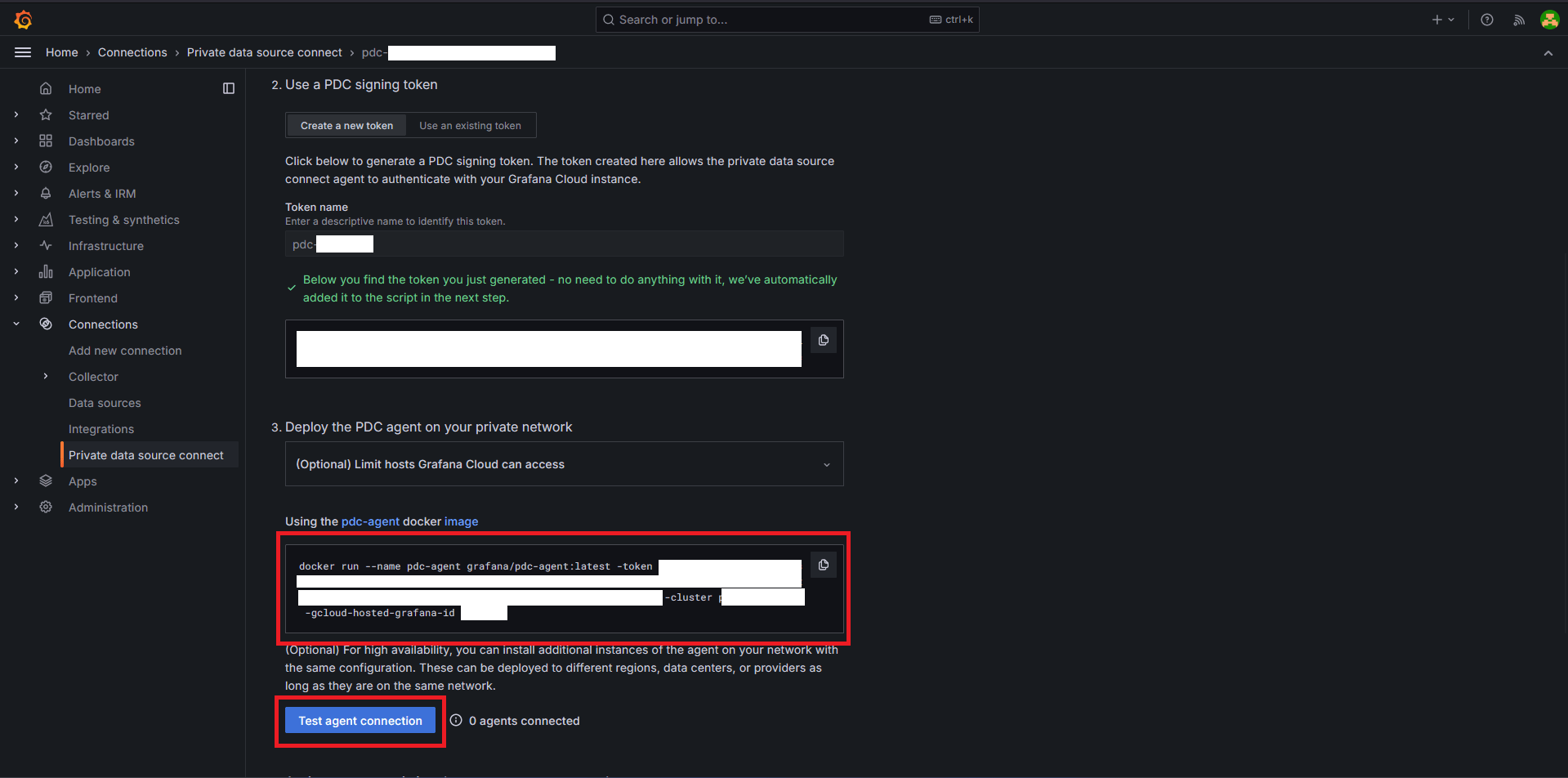
Save the created token, and copy -cluster and -gcluud-hosted-grafana-id params from docker script, they are will be used in Docker compose. Also, after deployment you can test agent connection, click Test agent connection for this purposes.
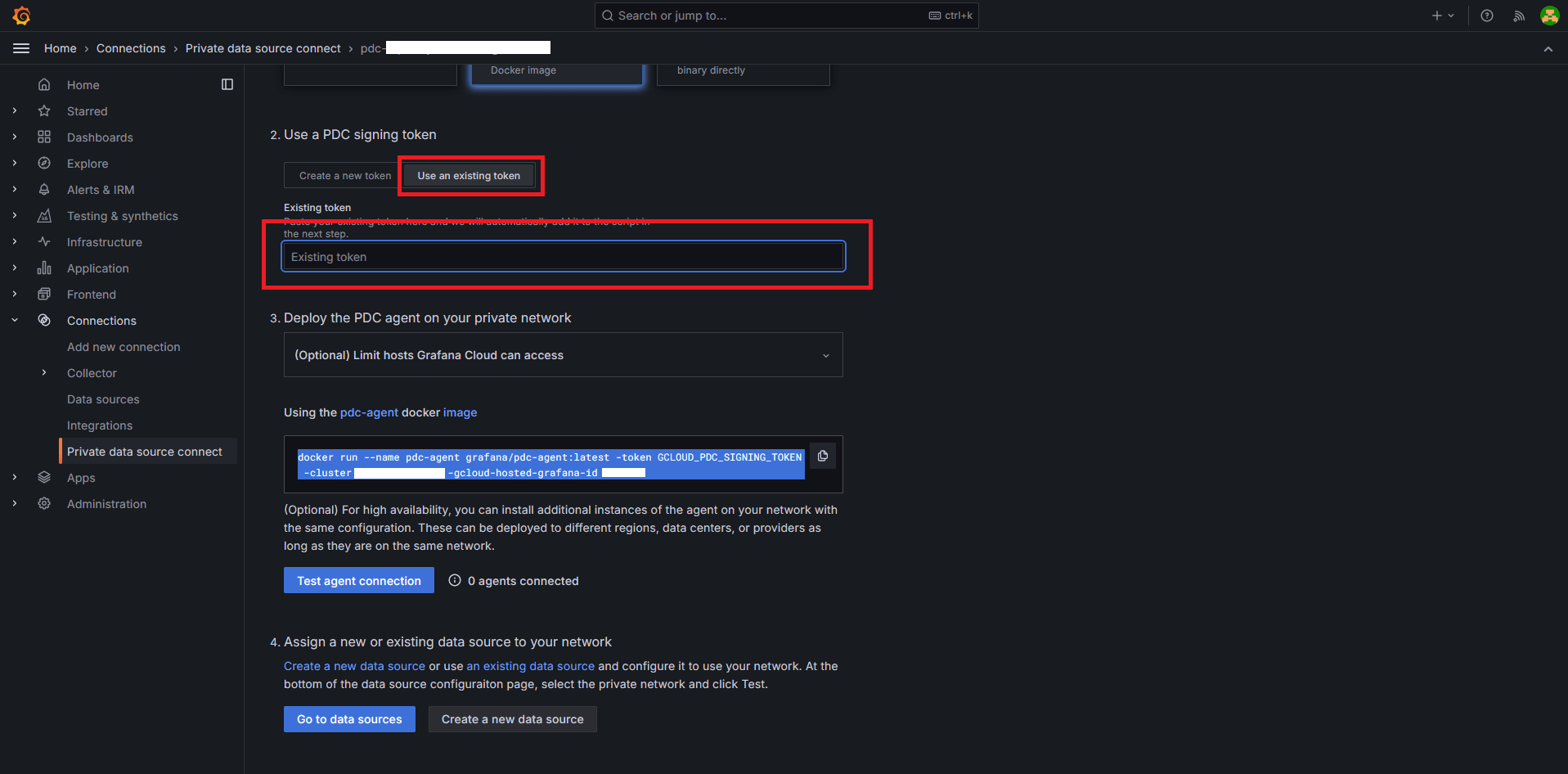
Once created a token you can use it again.
Deploy PDC agent locally
Use Ansible as delivering system
..
|-- ansible
    |-- invertory.yaml
    |-- playbook.grafana-pdc.yaml
|-- docker
    |-- docker-compose.grafana-pdc.yaml
    |-- grafana-pdc.env
|-- prometheus
    |-- prometheus.yml
inventory.yaml
maingroup:
  hosts:
    host1:
playbook.grafana-pdc.yaml
---
- hosts: maingroup
  become: yes
  remote_user: root

  tasks:
    - name: Create MONITORING directory
      ansible.builtin.file:
        path: /MONITORING
        state: directory
        mode: '0777'

    - name: Create prometheus directory
      ansible.builtin.file:
        path: /MONITORING/prometheus
        state: directory
        mode: '0777'

    - name: Create prometheus config directory
      ansible.builtin.file:
        path: /MONITORING/prometheus/config
        state: directory
        mode: '0777'

    - name: Create prometheus data directory
      ansible.builtin.file:
        path: /MONITORING/prometheus/data
        state: directory
        mode: '0777'

    - name: Copy prometheus conf
      ansible.builtin.copy:
        src: ../prometheus/
        dest: /MONITORING/prometheus/config/
        owner: root
        group: root
        mode: '0744'

    - name: Create Docker directory
      ansible.builtin.file:
        path: /opt/docker-compose/grafana-pdc
        state: directory
        mode: '0755'

    - name: Copy docker compose fie
      ansible.builtin.copy:
        src: ../docker/docker-compose.grafana-pdc.yaml
        dest: /opt/docker-compose/grafana-pdc/docker-compose.grafana-pdc.yaml
        owner: root
        group: root
        mode: '0744'
    - name: Copy docker compose env file
      ansible.builtin.copy:
        src: ../docker/grafana-pdc.env
        dest: /opt/docker-compose/grafana-pdc/grafana-pdc.env
        owner: root
        group: root
        mode: '0744'

    - name: Compose up grafana-pdc
      ansible.builtin.shell: |
          docker compose -f docker-compose.grafana-pdc.yaml up -d
      args:
        chdir: /opt/docker-compose/grafana-pdc
docker-compose.grafana-pdc.yaml
name: grafana-pdc
services:
  prometheus:
    image: prom/prometheus
    container_name: prometheus
    restart: always
    ports:
      - "9090:9090/tcp"
    networks:
      - grafana-pdc
    volumes:
      - type: bind
        source: /MONITORING/prometheus/config
        target: /etc/prometheus
      - type: bind
        source: /MONITORING/prometheus/data
        target: /prometheus

  pdc-agent:
    image: grafana/pdc-agent
    container_name: pdc-agent
    restart: always
    command: ["-token", "${TOKEN}", "-cluster", "${CLUSTER}", "-gcloud-hosted-grafana-id", "${HOSTED_GRAFANA_ID}"]
    secrets:
      - param
    networks:
      - grafana-pdc

networks:
  grafana-pdc:

secrets:
  param:
    file: ./grafana-pdc.env
grafana-pdc.env
TOKEN="here insert the connection token"
CLUSTER="cluster param from docker script"
HOSTED_GRAFANA_ID="gcluud-hosted-grafana-id param from docker script"
prometheus.yml
global:
  scrape_interval: 15s
  scrape_timeout: 10s
  scrape_protocols:
  - OpenMetricsText1.0.0
  - OpenMetricsText0.0.1
  - PrometheusText0.0.4
  evaluation_interval: 15s
runtime:
  gogc: 75
alerting:
  alertmanagers:
  - follow_redirects: true
    enable_http2: true
    http_headers: null
    scheme: http
    timeout: 10s
    api_version: v2
    static_configs:
    - targets: []
scrape_configs:
- job_name: prometheus
  honor_timestamps: true
  track_timestamps_staleness: false
  scrape_interval: 15s
  scrape_timeout: 10s
  scrape_protocols:
  - OpenMetricsText1.0.0
  - OpenMetricsText0.0.1
  - PrometheusText0.0.4
  metrics_path: /metrics
  scheme: http
  enable_compression: true
  follow_redirects: true
  enable_http2: true
  http_headers: null
  static_configs:
  - targets:
    - localhost:9090
Add Data source in Grafana Cloud
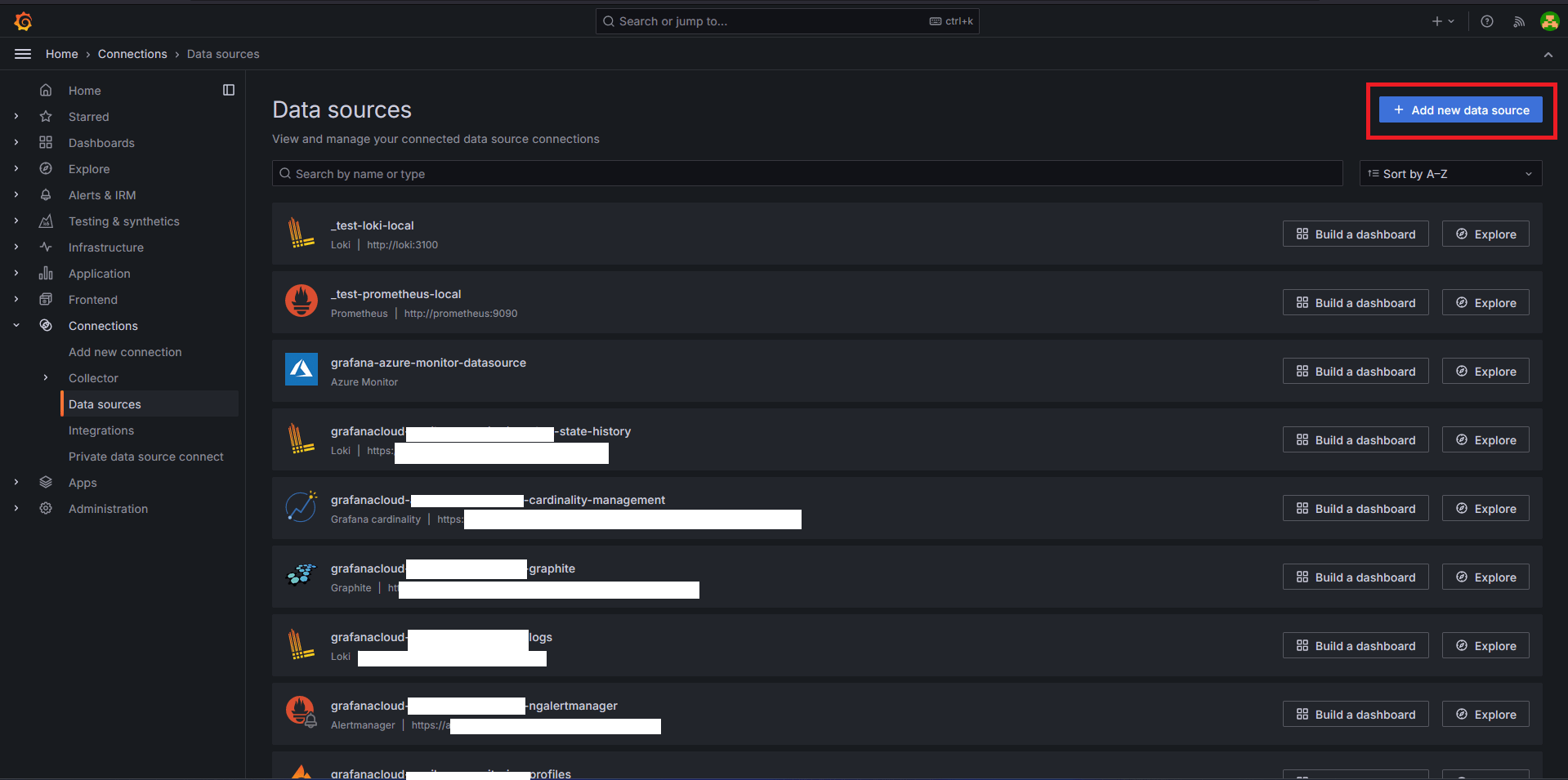
Return back to Grafana cloud, and go to section Connections->Datasources. Press + Addnew data source and go for Prometheus
In Connection gape type local Prometheus URL http://prometheus:9090
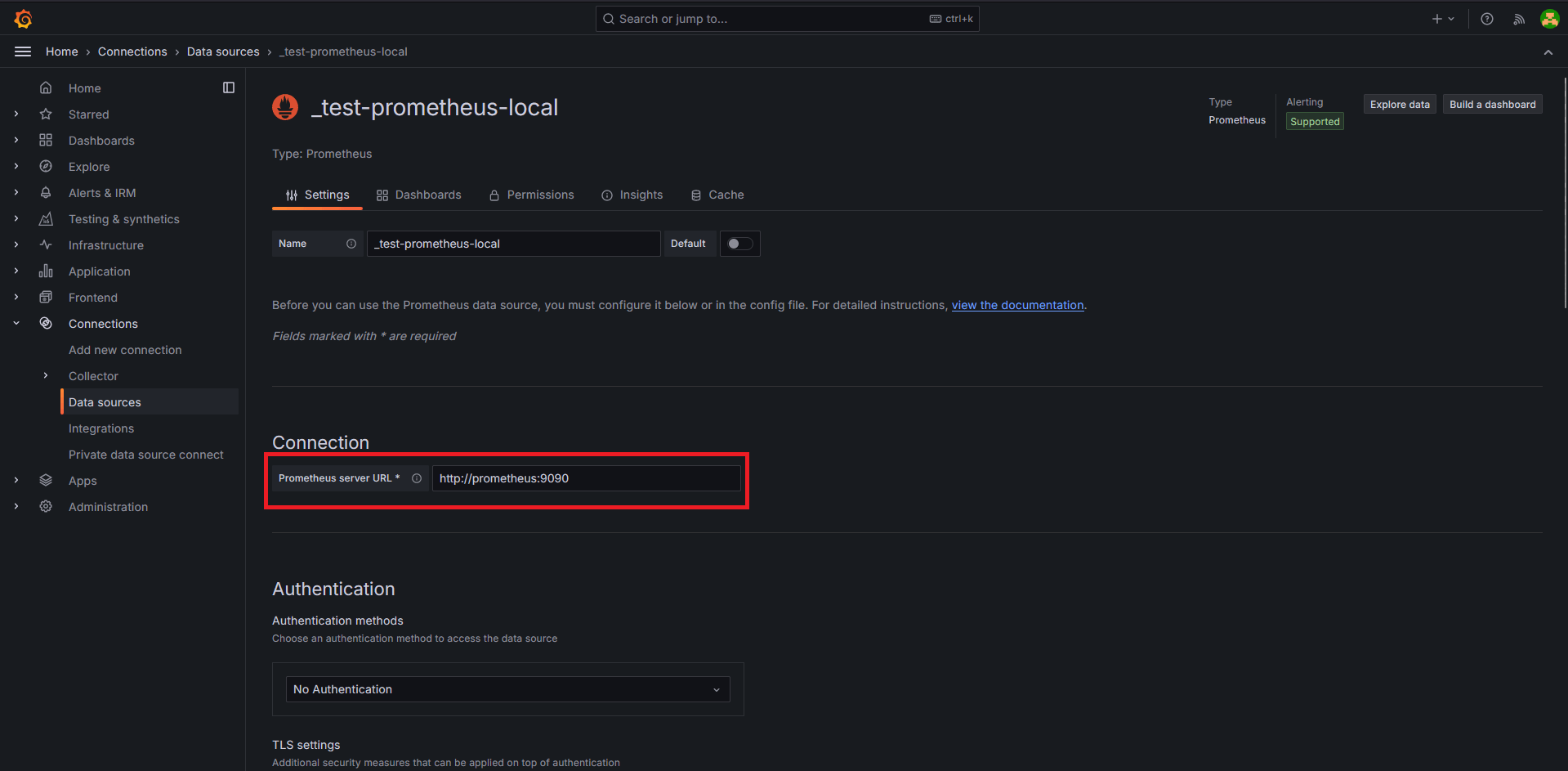
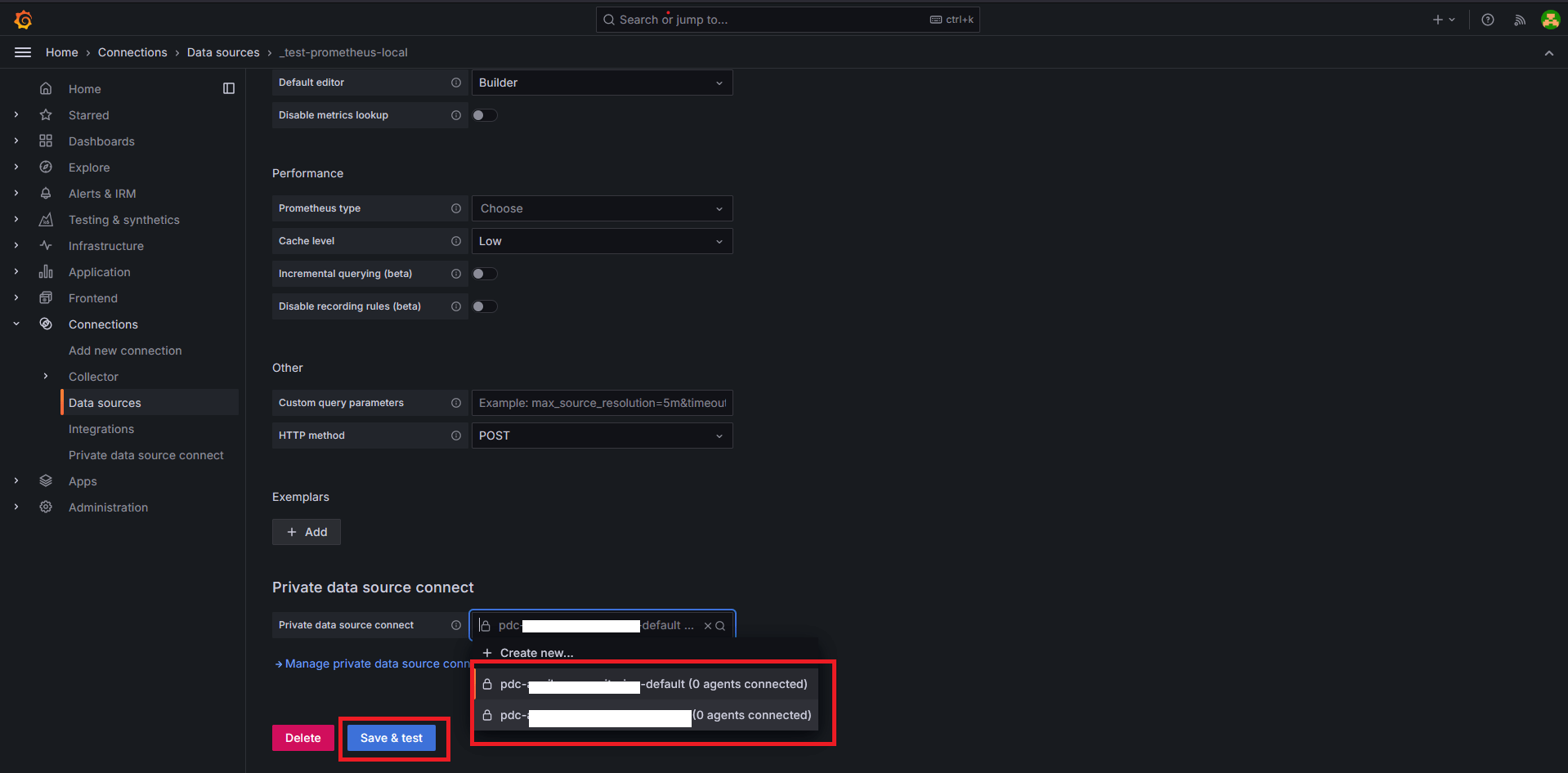
Choose correct PDC connect in Private data source connect and click on Save & Test